
your client tabsare your timesheet
Tabtime automatically tracks your time across Chrome, Cursor, and VS Code, then shows exactly how much of every client retainer you've used — no timers to start, no forgotten entries, nothing running overnight.
Free for 2 clients · No screenshots, ever · No card required
One timesheet, two surfaces
Browser research in Chrome and coding in Cursor or VS Code roll up to the same client — no double entry, no gaps between tools.
Retainer budgets, live
Allocated vs tracked hours per client, with on-track, near-limit, and over-budget status — you find out before you blow the budget, not at invoice time.
Money, not just minutes
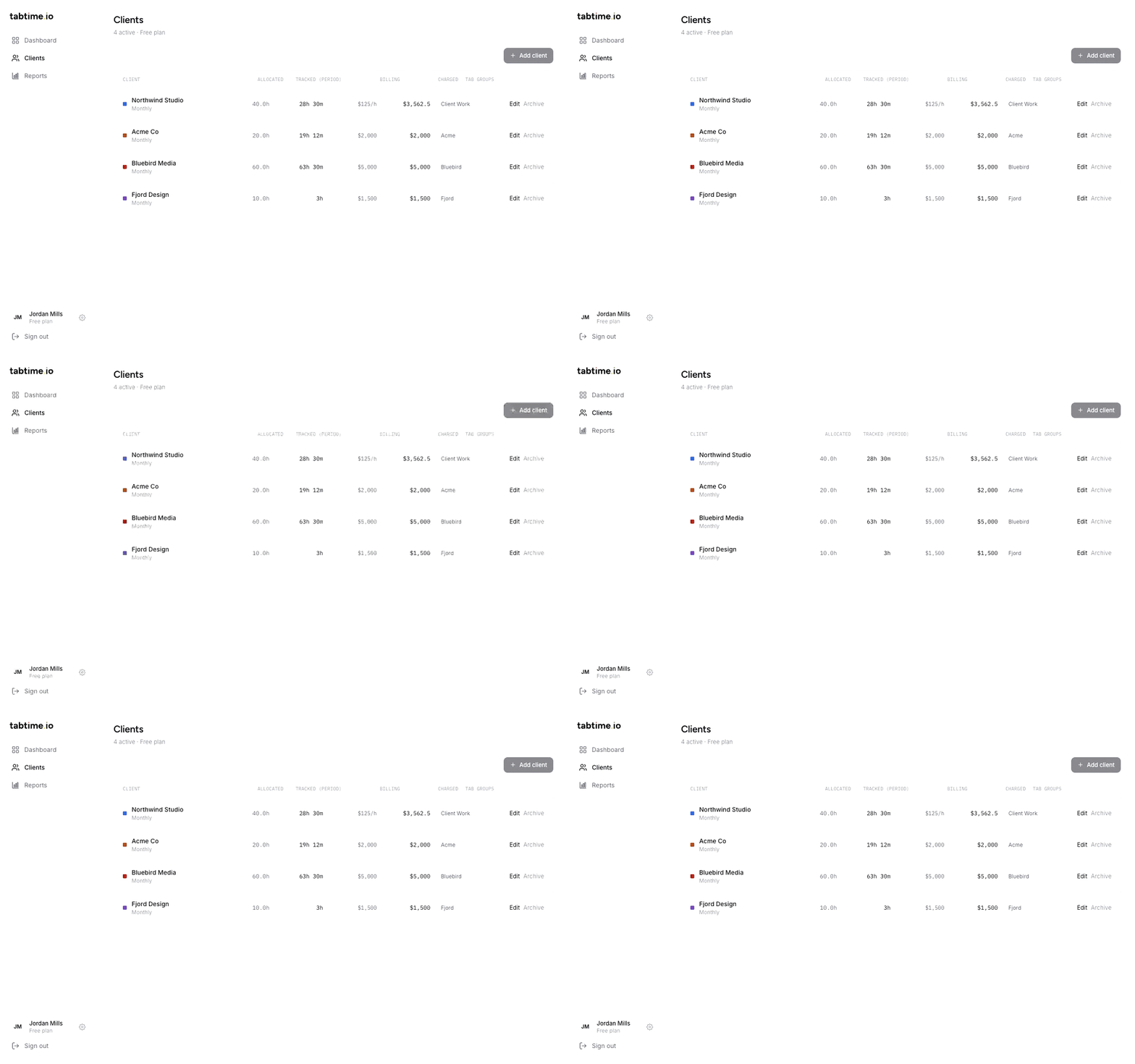
Set an hourly rate or fixed fee per client. Tabtime shows what each retainer earned and how many paid hours are still on the table.
How Tabtime works
Group your tabs by client
Use Chrome tab groups the way you already do — one named group per client or project. Only named groups are tracked; everything else is invisible to Tabtime.
Work like you always do
The timer follows whichever group is active. Switch tabs inside a group and the session keeps running; leave the group or go idle and the clock stops cleanly.
Watch budgets fill in
Hours land on each client's retainer in near real time. Status flips from on-track to near-limit before you go over — so you never over- or under-serve a client.
The actual product, doing its thing
No staged screenshots — these are recordings of the live dashboard, reports, and client setup.
The timer follows your tab groups.
The extension follows whichever named Chrome tab group is active. Switch tabs inside the group and the timer keeps running — leave the group and the session closes cleanly, down to the second.
- Live timer in the popup — see exactly what's tracking right now
- Today's breakdown by client, right in the toolbar
- Pause, sync, and open the dashboard in one click
Hours, budgets, and value — at a glance.
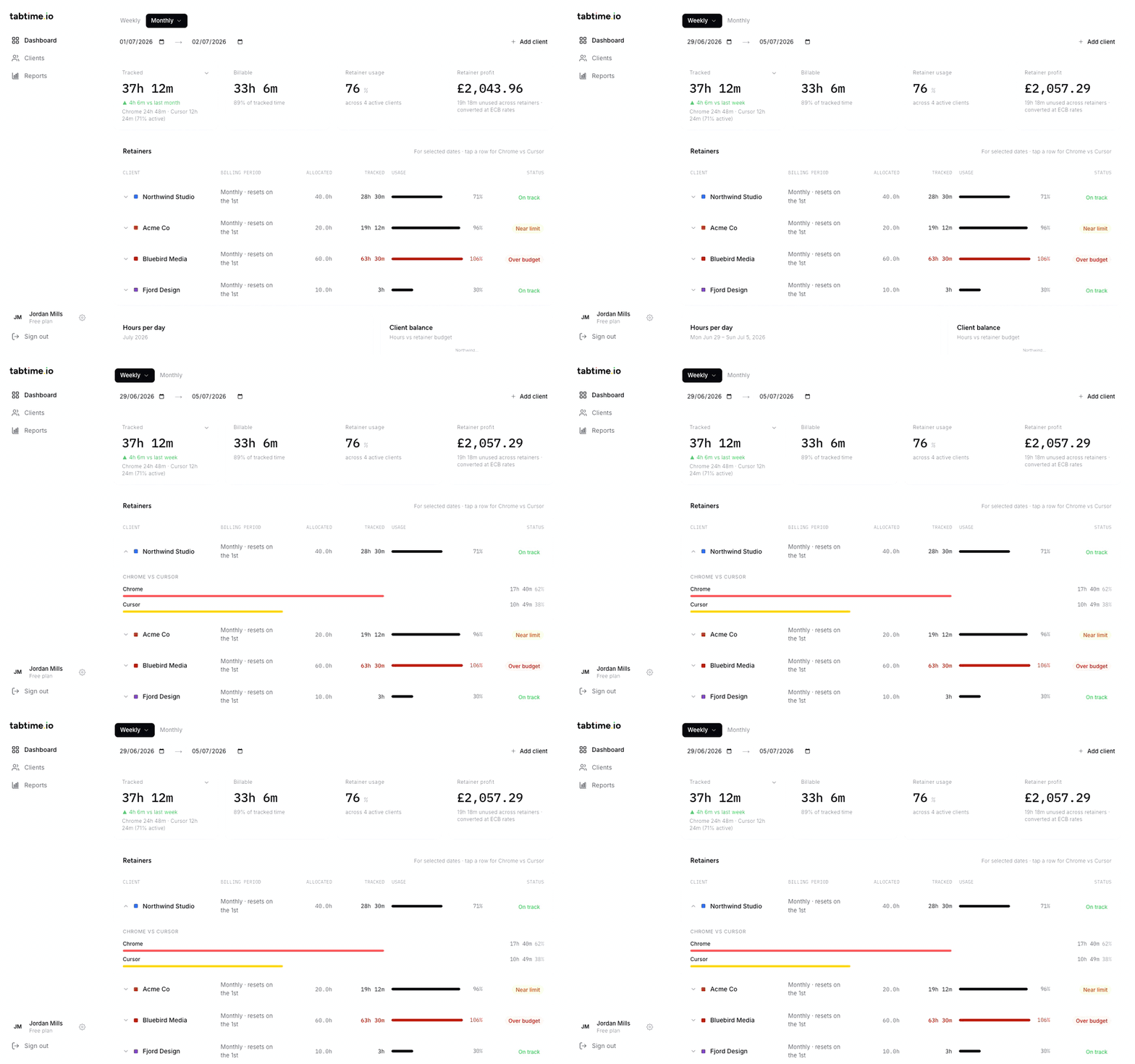
The web dashboard rolls Chrome and IDE time into four numbers that matter: tracked hours, billable share, retainer usage, and retainer value — with unused retainer hours valued in your own currency.
- Retainer value card converts every client's rate at live ECB exchange rates
- Per-client budget bars with on-track / near-limit / over-budget status
- Weekly, monthly, or any custom date range — plus hours-per-day and top-sites charts
IDE work counts toward the same retainer.
Works in Cursor, VS Code, and any VS Code-based editor. Map each workspace with a .tabtime.json file and your coding hours join your browser hours on the same client. File switches log segments without resetting the timer.
- Status bar shows the client name and live elapsed time
- Syncs to the same dashboard as Chrome every 30 seconds
- Pause, resume, and pick clients without leaving the editor
Invoice-ready CSV in seconds.
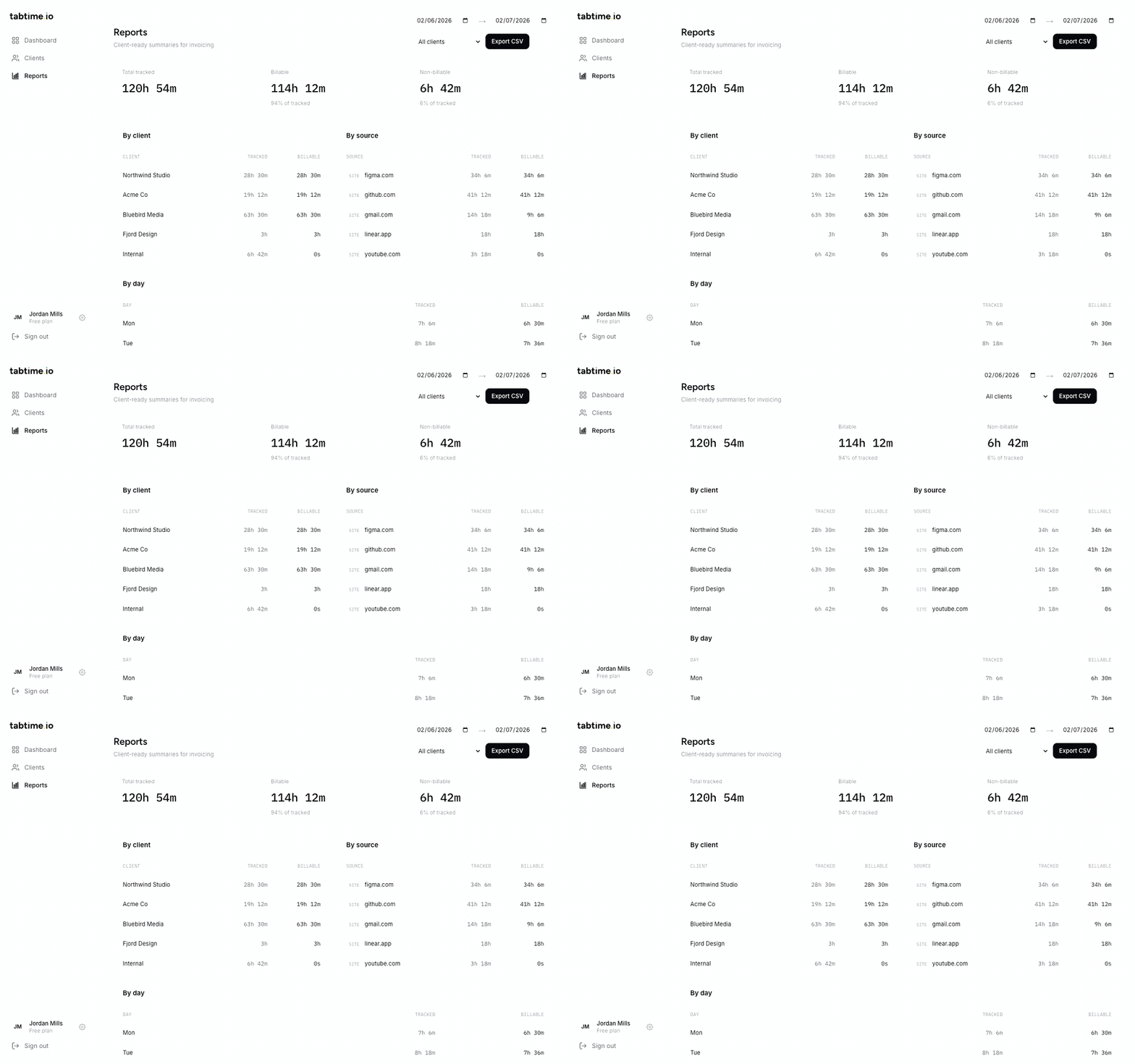
Filter any date range, pick a client or all of them, and export. Hours come grouped by client, by day, and by website — with billable and non-billable time already separated.
- By-client, by-day, and by-website tables in one export
- Billable vs internal time split automatically
- No spreadsheet cleanup at month-end — attach it straight to the invoice
| Date | Client | Source | Hours |
|---|---|---|---|
| 2026-07-01 | Northwind Studio | figma.com | 2.4h |
| 2026-07-01 | Northwind Studio | github.com | 1.1h |
| 2026-07-01 | Acme Co | gmail.com | 0.8h |
| 2026-06-30 | Bluebird Media | linear.app | 3.2h |
Time tracking without the creepy parts
Most trackers watch you. Tabtime watches the clock. It records which client you were working for and for how long — and nothing else.
No screenshots, no keystrokes
Tabtime never captures your screen, your typing, or the content of any page. There is nothing to review, because nothing is recorded.
Domains only
It logs “github.com, 41 minutes” — never full URLs, page titles, or what was on the page.
Named groups only
Anything outside a named tab group is never tracked. Your personal browsing simply doesn't exist as far as Tabtime is concerned.
Your data, your export
Every entry can leave as a CSV whenever you want it to. No lock-in, no hostage data.
Made for people who bill by the retainer
Freelancers
Prove your hours without babysitting a timer. When a client asks where the retainer went, the answer is one CSV away.
Consultants
Juggling several retainers at once? Every budget sits on one screen, so an over-serviced client shows up mid-month — not at invoice time.
Independent developers
Half your work is in the browser, half in the editor. Chrome and IDE hours land on the same client automatically.
“I kept forgetting to switch timers between clients — and kept eating the difference at invoice time. My tabs were already organised by client. The timesheet should have been too.”
Alfie — freelance developer & founder of Tabtime
Start free. Upgrade when you grow.
Chrome tracking and two clients on the house — no card required. Pro adds unlimited clients and IDE tracking (Cursor, VS Code & more) for £4.99 / month.
- Up to 2 clients
- Chrome extension tracking
- Retainer budgets & value
- Reports with CSV export
- Unlimited clients
- IDE tracking — Cursor, VS Code & more
- Everything in Free
- Cancel anytime
Questions, answered
Do I really never start a timer?
Correct. Once the extension is paired, time is logged to whichever named tab group is active. Open the popup any time to see the live timer, and pause it if you want a break that Chrome can't detect.
What happens to tabs outside a group?
Nothing. Ungrouped tabs, unnamed groups, and browser pages are never tracked. If a named group isn't mapped to a client yet, its time is stored as Internal (non-billable) so you can reassign or ignore it.
Can Tabtime see what I'm browsing?
It records the domain and the duration — nothing more. No full URLs, no page content, no screenshots, no keystrokes. And it only does that inside named tab groups you created.
What counts as billable?
Time in a named group that's mapped to a client — from the moment you switch in to the moment you leave. Pause from the popup for anything you don't want logged, and idle detection keeps breaks off the clock.
What if I walk away from my desk?
Idle detection stops the session after a configurable timeout (5 minutes by default), so lunch doesn't end up on a client's invoice.
What's in the free plan?
Two clients, full Chrome tracking, the dashboard with retainer budgets and value, and CSV reports — free forever, no card. Pro adds unlimited clients and the IDE extension (Cursor, VS Code, and other VS Code-based editors), and you can cancel anytime.
Your tab groups are already organized. Get paid for it.
Install the extension, pair your dashboard, and name your first tab group — you'll be tracking in under two minutes.
Install Tabtime freeFree for 2 clients · No screenshots · No card required